Redact screenshots before you share them with AI
Before you paste a screenshot into ChatGPT, Claude or a Slack channel, cover API keys, emails, phone numbers and customer data with solid bars. Zinxo does the detection on your Mac with Apple’s Vision text recognition and pre-suggests the bars on every capture, so nothing is sent anywhere to find the secrets.
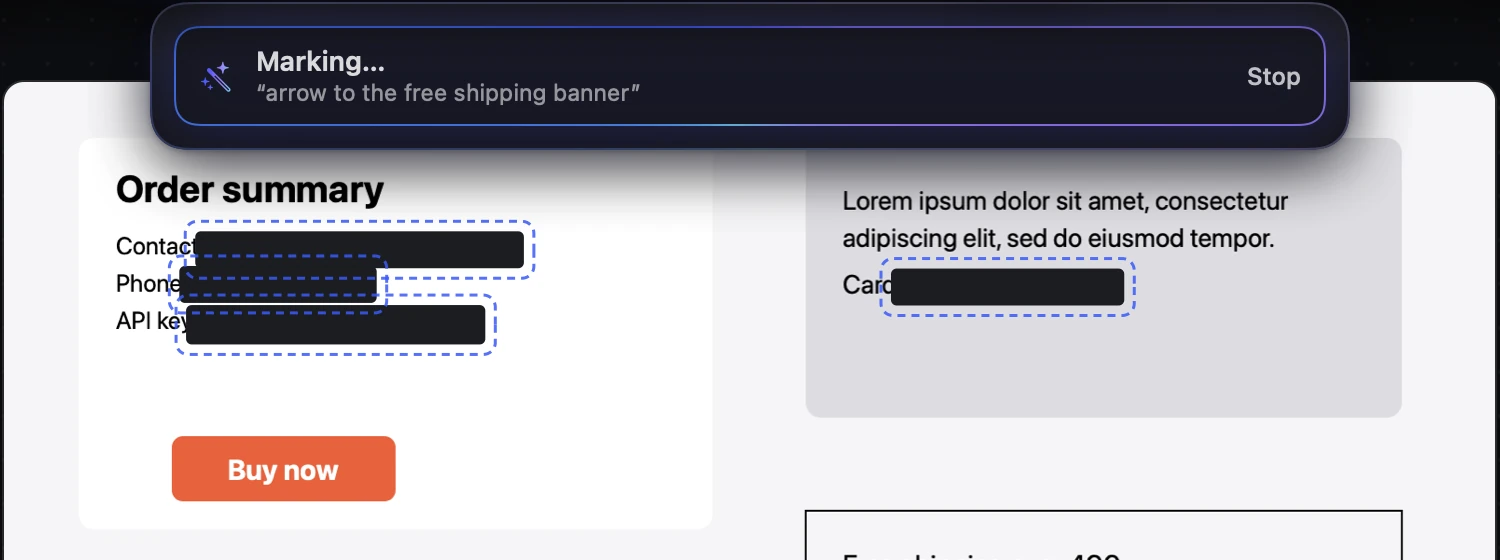
Screenshots are the most common way secrets leak into chat logs and model contexts: an sk_live_ key in a terminal, a customer email in an admin panel, a card number in a checkout test.
What to look for
- API keys and tokens (Stripe, GitHub, OpenAI-style sk-… keys, JWTs)
- Email addresses and phone numbers
- Card numbers, bank accounts, national ID numbers
- Customer names and addresses in admin tools
Do it on-device
Text recognition runs locally with Apple’s Vision framework, so detection doesn’t require sending the image anywhere. Zinxo scans every capture and pre-suggests solid bars over the matches, which you keep or discard; the Redact tool can still pixelate.
Solid bars, not light blur
Light blur can sometimes be reversed on short strings. Use solid bars (or heavy pixelation) for secrets, and rotate any key that was shared in the clear.
Related guides
- How to blur sensitive info in a screenshot on Mac
- How to send a screenshot to Claude Code or Cursor on Mac